GreatInflux connects to your Google Analytics 4 and Google Search Console and turns them into a single, plain-English dashboard — so you can see what brings visitors, what turns them into enquiries, and where you rank on Google, without opening either tool.
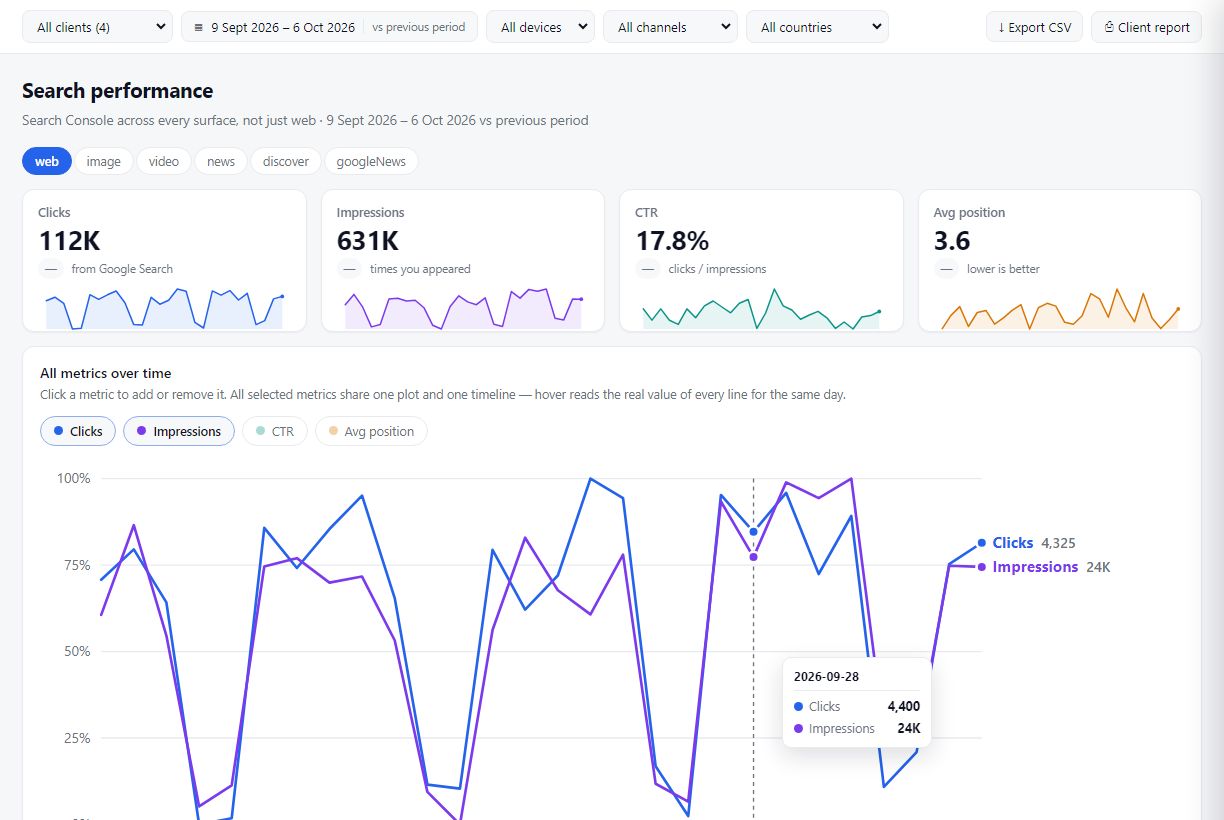
GreatInflux reads Google Analytics 4 and Google Search Console with your permission, joins them up, and shows the answers on one page.
 Your GreatInflux reportUpdated automatically
No spreadsheets and no exports. Connect once, and the report keeps itself up to date.
Clicks, impressions, click-through rate and average position — for every search query, page, country and device, compared with the previous period.
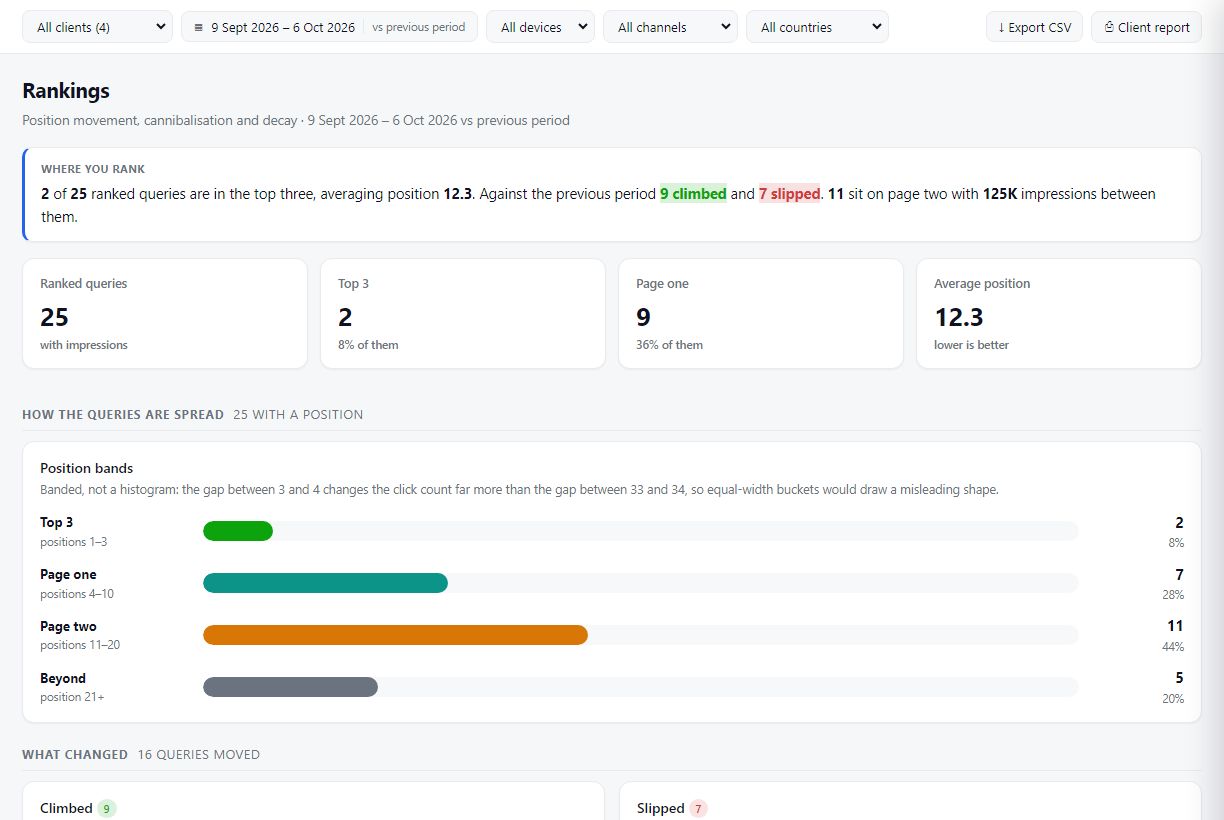
Users, sessions, channels, devices, locations and key events from your GA4 property, explained in words as well as charts.
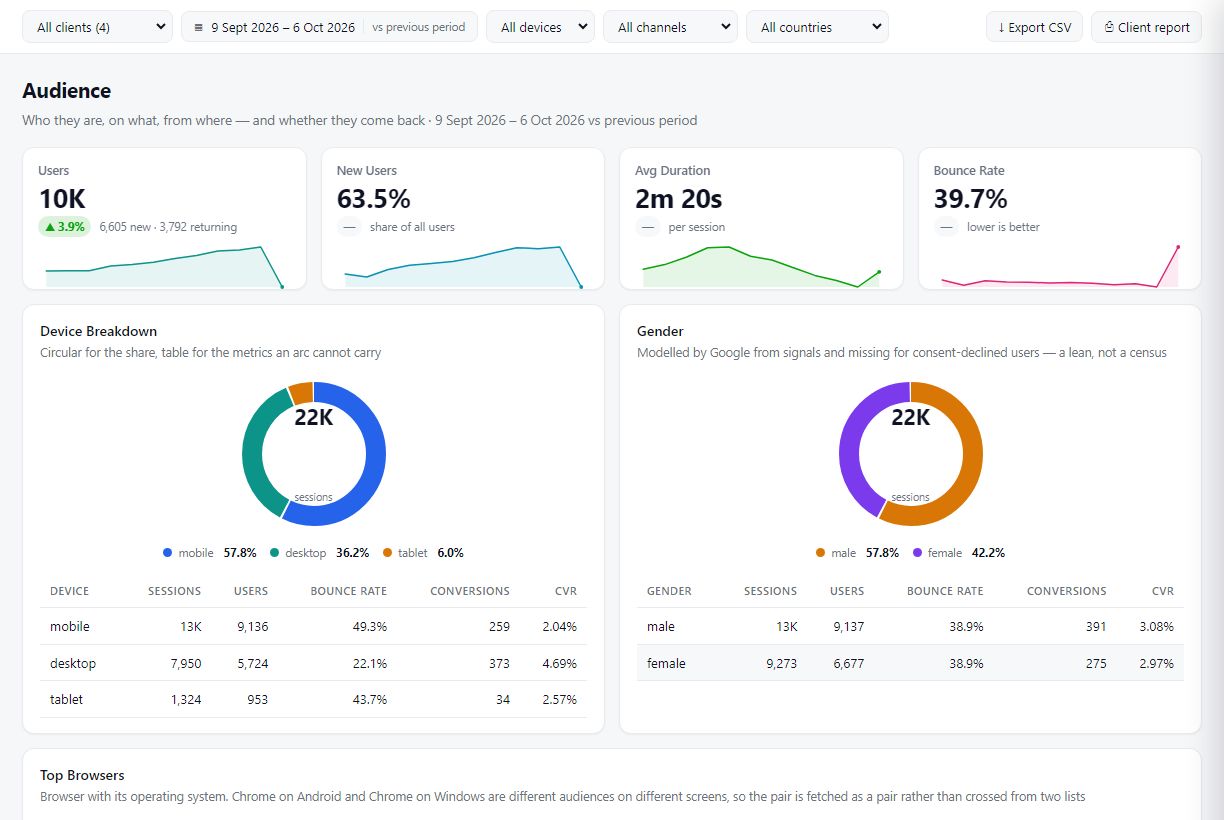
Put several websites in one account, invite your team, and share a white-labelled report through a private link — your client sees their own figures and nothing else.

Sign up with your email address. No card required.
Click Connect. Google shows its own consent screen naming GreatInflux and the read-only access requested. Nothing is shared until you click Allow.
Pick the GA4 property and Search Console site you want in the report.
See your traffic, rankings and enquiries in one place, and share it with your team or client.

We ask for the minimum access needed to show you your reports — and nothing more.
| Google access we request | What we read | Why we need it |
|---|---|---|
Google Analytics — view onlyanalytics.readonly |
Your GA4 property list and reports: users, sessions, channels, pages, devices, locations and key events. | To show your website traffic and conversions in your GreatInflux dashboard and in reports you choose to share. |
Search Console — view onlywebmasters.readonly |
Your verified sites, search performance (queries, pages, clicks, impressions, CTR, position), sitemaps and URL index status. | To show how your site performs in Google Search and which pages need attention. |
Basic profileopenid email |
Your Google account email address. | To show which Google account is connected, so you can tell your connections apart. |
GreatInflux's use and transfer to any other app of information received from Google APIs will adhere to Google API Services User Data Policy, including the Limited Use requirements. Read the full Privacy Policy.

Know whether your website is bringing in customers — in plain English, without learning GA4.
Manage every client’s Analytics and Search Console from one login and send reports in minutes.
Spot ranking changes, page-two opportunities and index problems as soon as Google reports them.
No. We only request read-only access. We can view your reports but cannot edit settings, delete data or add users.
We store an encrypted access token so the report can refresh without asking you to sign in again, and your Google email address so you can see which account is connected. Report figures are cached for a short time (normally 30 minutes, at most 12 hours) so pages load quickly. Details are in our Privacy Policy.
Click Disconnect on the Connections page in your dashboard — we delete the stored access immediately. You can also remove GreatInflux at any time from your Google Account permissions.
Only you, team members you invite, and anyone you send a share link to. You can turn a share link off at any time.
No. Connect either one, or both. Each is connected separately, so you only grant the access you want to use.
Connect Google Analytics 4 and Search Console in a few clicks. Read-only, and you can disconnect at any time.
